Knowledge BaseDirectAdmin hostingPublishing your website and the File Manager
Publishing your website and the File Manager
DirectAdmin hosting
25/10/2026
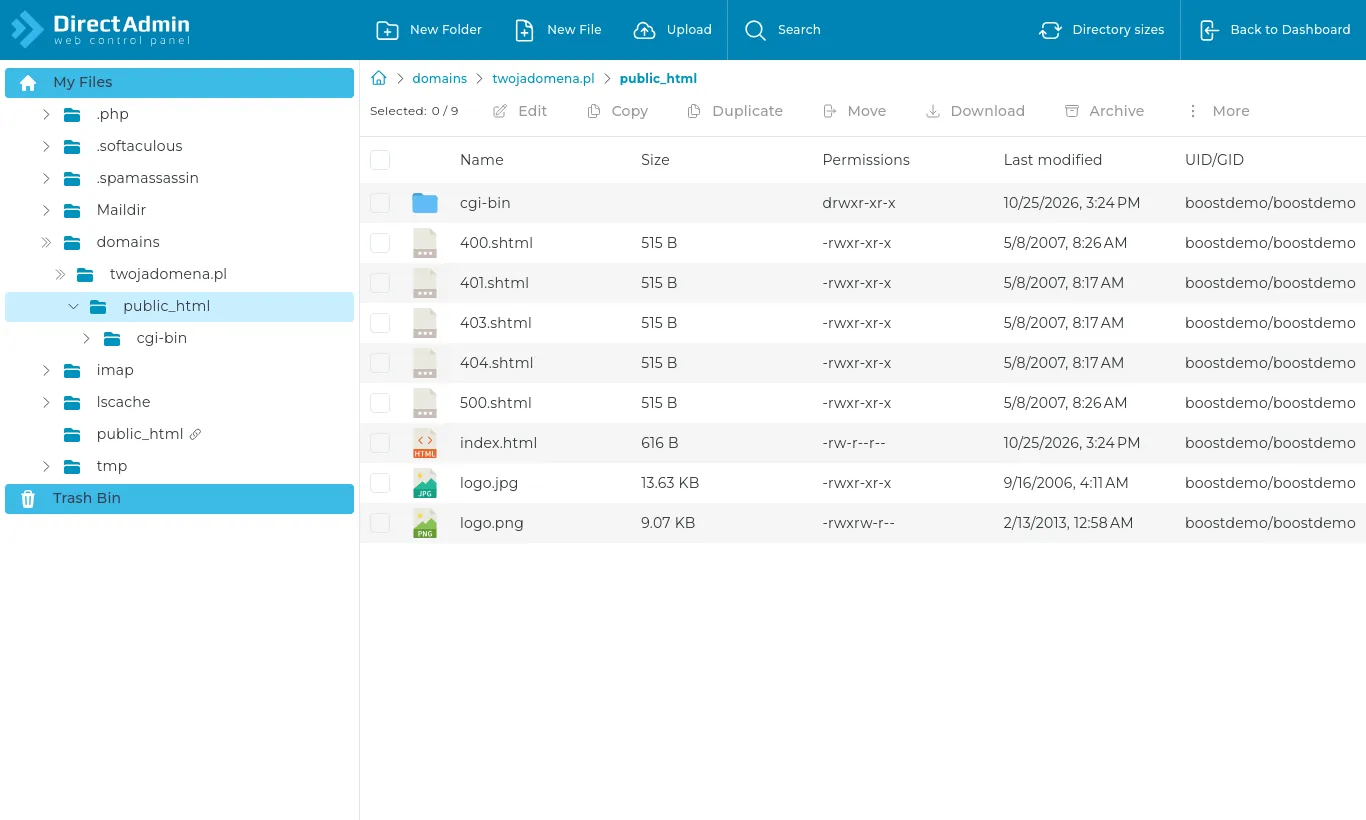
Your website's files go in domains/yourdomain.com/public_html. Everything in it is served at your domain's address, and an index.html or index.php there is your home page.
A new account's public_html contains DirectAdmin's sample files (index.html, logos). Delete them or overwrite them with your own.
File Manager
Open System Info & Files → File Manager.
The File Manager in the public_html folder
Upload (or drag files onto the window) - sends files from your computer.
New Folder / New File - creates them in the current folder.
Right-click a file - edit, rename, copy, move, permissions and delete.
Extract - unpacks a .zip or .tar.gz archive on the server.
The fastest way to move a whole site: zip it on your computer, upload the single .zip to public_html and extract it on the server. That is far quicker than uploading thousands of small files.
Deleted files go to the Trash Bin (at the bottom of the folder tree), where you can restore them.
Prefer an FTP program? See the article on FTP accounts.