Cron jobs
A cron job runs a command on a schedule - e.g. sending a newsletter every hour or tidying up a shop every night.
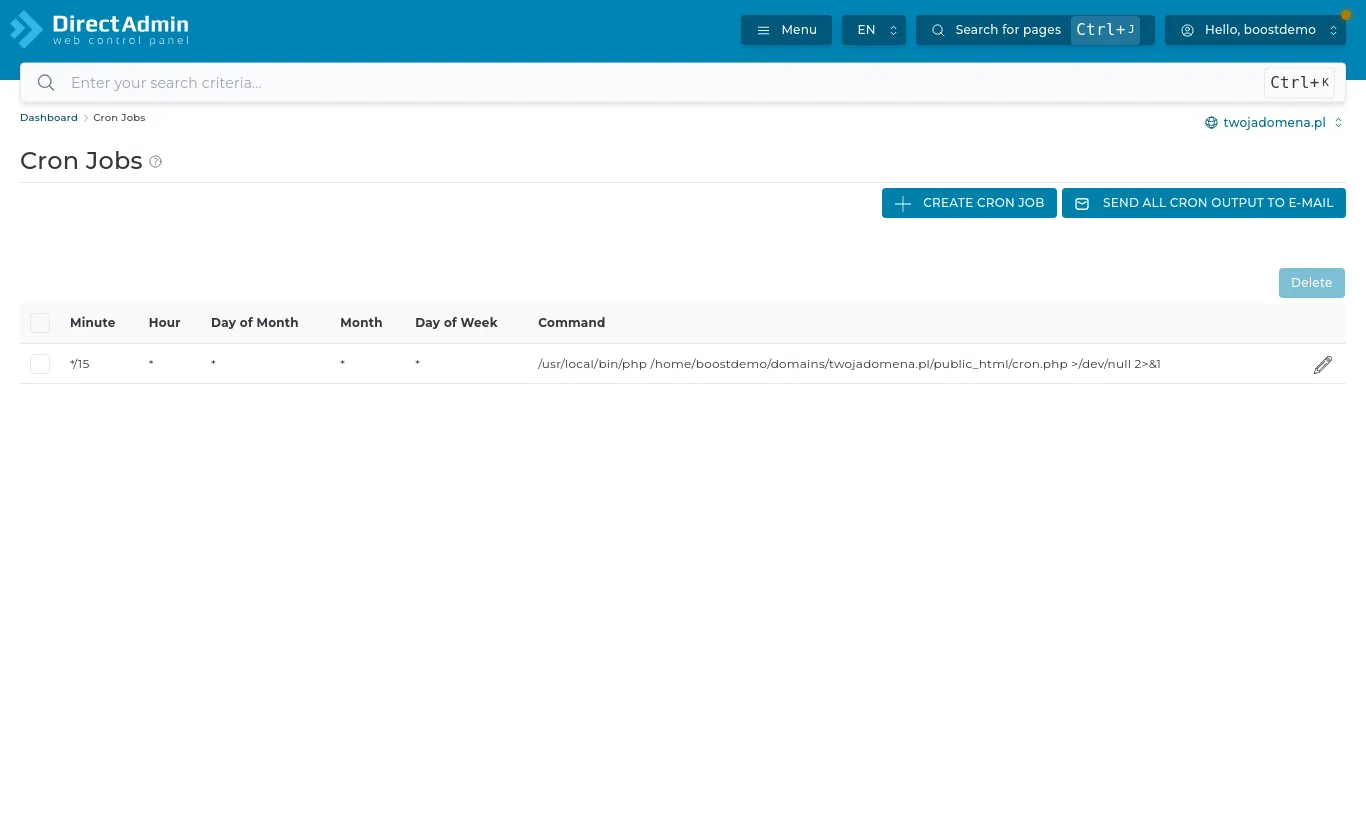
Open Advanced Features → Cron Jobs and press Create Cron Job.
When it runs
Five fields: minute, hour, day of month, month and day of week. An asterisk means "every". Examples:
- every 15 minutes: */15 * * * *
- daily at 3:30: 30 3 * * *
- every Monday at 8:00: 0 8 * * 1
The command
Run a PHP script with:
/usr/local/bin/php /home/ACCOUNT_NAME/domains/yourdomain.com/public_html/cron.php
Or call a page's address:
/usr/bin/curl -s https://yourdomain.com/cron.php
Add >/dev/null 2>&1 at the end if you do not want an email after every run. Send all cron output to e-mail sets the address the output goes to - useful while chasing errors.
WordPress
WordPress runs its scheduled tasks when someone visits the site. On low-traffic sites it is better to turn that off in wp-config.php (define('DISABLE_WP_CRON', true);) and add a cron job every 15 minutes calling https://yourdomain.com/wp-cron.php.