Knowledge BaseDirectAdmin hostingPHP version and PHP settings
PHP version and PHP settings
DirectAdmin hosting
25/10/2026
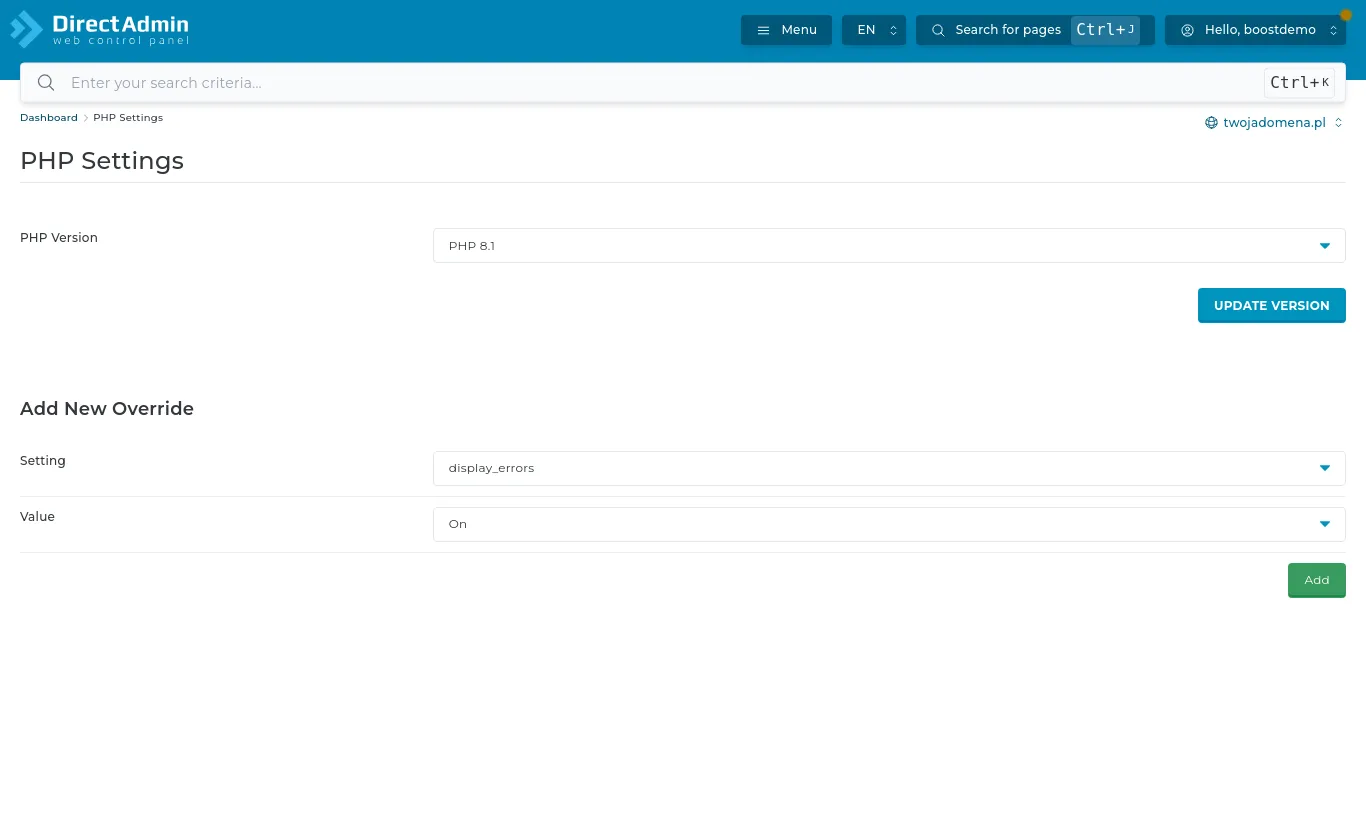
The PHP version and its settings are under Account Manager → PHP Settings.
PHP Settings: choosing the version and overriding settings
Changing the PHP version
Pick a version from the PHP Version list and press Update Version. The change applies immediately. Before moving to a newer version check that your app supports it - current WordPress and its popular plugins run on the latest versions, older shops and scripts may be limited to older ones.
If the site stops working after the change, switch back - nothing is lost.
Custom settings
Add New Override changes individual PHP settings, for example:
upload_max_filesize and post_max_size - the largest file you can upload (e.g. importing a WordPress theme),
memory_limit - memory for a single script,
max_execution_time - how long a script may run,
display_errors - show errors on the page (turn it on only briefly, while hunting a problem).